Delving Deeper into Book Scanning: Unravelling the Intricacies of Professional Scanners
Why do Canon, Image Access and InoTec build their scanners around linear sensors rather than camera technology? A closer look at the scanning principles, sensors and lenses behind professional book scanners.
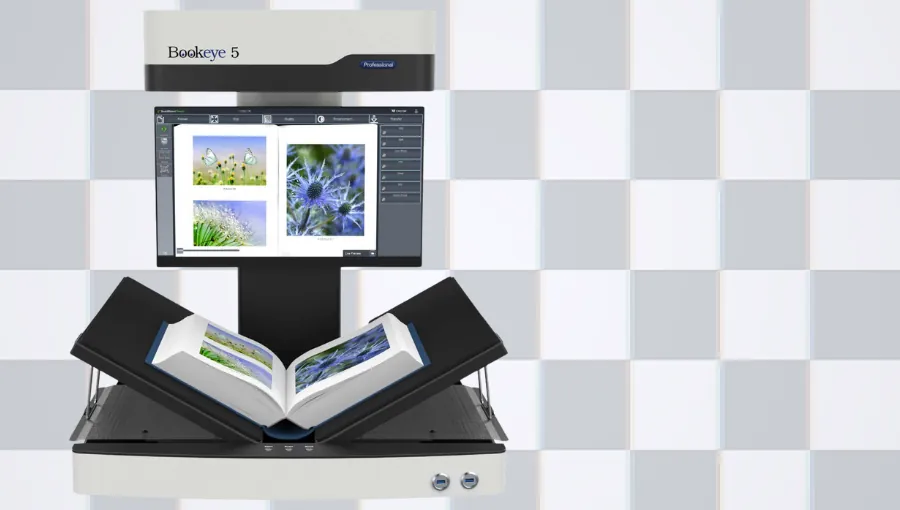
Building on our analysis of digital cameras from the previous blog post, we now shed light on the scanning principles, sensors, and lenses that elevate dedicated book scanners to unparalleled heights.
In this chapter, we delve into the intricate details that distinguish professional scanners from digital cameras.
Beyond Lenses: Creating the Perfect Image
There’s a good reason why companies like Canon, Image Access, Inotec, and others use only line-scan sensors and reject digital camera technology for their scanners. The linear sensors used in professional scanners capture red, green, and blue lines consecutively from a document illuminated by white light. A lens then reduces the captured image and projects it onto the device’s charge-coupled device (CCD) linear sensor. While in professional scanners the document (object) moves in sync with the exposure of the CCD elements, in a book scanner, it is the camera’s lens system that moves—or, in some cases, a mirror that rotates over the object—simulating the movement.
The red elements capture one line of the image, the green elements another, and the blue elements a third. A computer then organizes these lines into the correct order. The Image Signal Processor (ISP)* manages this transformation from the Bayer image to a fully processed image. The resulting image consists of full-resolution RGB values, free of Bayer pattern artifacts**.
* The Image Signal Processor (ISP) is used to process raw images within camera modules. It performs operations on the captured image, including demosaicing, noise reduction, and other automated functions, contributing to the production of an enhanced image.
* Bayer pattern artifacts are visual distortions in digital images caused by the Bayer filter array, which affect color, accuracy, and quality.
In other words, a three-line sensor converts light falling on its surface into electrical signals. Scanners with CCD sensors are capable of providing a wide color gamut, thanks to RGB color filters arranged in three consecutive rows of CCD elements. Size matters, so high-quality CCD sensors typically have large pixels (a value of 10 µm × 10 µm is typical), as this reduces noise and other image-degrading effects.
Scanner Lenses
In document capture/digitization, the lens is a crucial component. The dimensions of a pixel in the original image at a resolution of 600 dpi are 64 µm × 64 µm. Therefore, if the CCD elements are 10 µm × 10 µm, a reduction lens with a ratio of 1:6.4 must be used. This provides both a long track length and a large depth of field. Modern book scanners typically use a camera configuration consisting of a lens and a linear CCD element. The alignment is such that only the distance between these elements changes as the scanner moves across the book, while maintaining the correct focus.
The quality of the reduction lens directly influences the overall quality of the scanning system. However, the limitations of scanner lenses are less stringent compared to the high-quality lenses found in digital cameras. This is because only the central section of the lens is used, due to the nature of the line sensor. Unlike digital camera lenses, scanner lenses do not need to have such a large diameter, which prevents problems such as chromatic aberrations, geometric inaccuracies—such as pincushion distortion—and loss of intensity at the outer edges. Scanners are not only used for capturing images but also for precision applications, such as quality control. This highlights the importance of precision in scanner systems, preventing the loss of detail outside their focal area.
The Basics of Scanning
Scanning books is a challenge because they are not flat. Scanners must follow the curved surface of the book and continuously adjust the focus. There are two main scanning directions: top-to-bottom or left-to-right. Each has its pros and cons. Top-to-bottom scanning requires more pixels in the camera, but covers a shorter distance and is faster.
Some scanners can also scan laterally, adjusting focus and resolution as they scan curved surfaces. These scanners can handle flat documents, partially open books, and objects in a V-shaped stand. Scanners that scan from top to bottom cannot handle flat and V-shaped documents simultaneously.
As we mentioned in our first blog post, some vendors use digital cameras and falsely claim that they work just like book scanners. However, unless a document is completely flat, a digital camera is insufficient and will even struggle to capture a high-resolution black-and-white image. Vendors attempt to overcome this problem by using a very long focal length—which makes the scanners very tall—or by using low-cost, low-resolution cameras to give the impression of a greater focal range.
Guiding Your Scanning Journey with Dyanix
As an independent expert in book scanning, Dyanix offers personalized recommendations, including on-site and installation services for ImageAccess book scanners, along with expert maintenance and training services throughout the EMEA region. Dyanix is committed to ensuring that your scanning process is not only efficient but also tailored to your specific needs.
Conclusion
As we continue our journey through the complexities of book scanning, our mission remains clear: to simplify technical terminology and provide practical tools for informed decision-making when choosing the ideal book scanner. Stay tuned for the next installments in this series, where we’ll continue to explore the ever-evolving field of scanning technology.
Ready to digitize your documents?
Our experts are here to help you choose the right scanner and services that fit your business needs.